
How distant the days are when television was only for watching the news. Today’s Smart TVs come packed with a slew of features to fully enjoy your favorite programs from the comfort of your couch. But this vast field of possibilities isn’t without flaws, and unscrupulous hackers may be tempted to dive in…
With the continued rise of the Internet of Things, whether you like it or not, every device is set to become connected. A development that puts cybersecurity front and center, even for everyday consumers.
From connected speakers that listen in to webcams and alarms that could be controlled, there are plenty of entry points into your privacy. And with TVs occupying a central role in our daily lives, they’re far from immune.
Can a TV be infected by a virus?
The answer is yes, especially since zero risk does not exist in cybersecurity. Technically, televisions are inching closer to the capabilities of tablets or basic computers. With interfaces, apps and a browser—all connected to the internet—they become potential targets of clever programs.
Whether it’s stealing your banking information or spying on your consumption habits, intrusions can have different aims. A few incidents have already occurred in recent years, and the arrival of even smarter TVs can only widen the attack surface. In short, a new playground for all the Mr. Robot wannabes on the planet.

Manufacturers aren’t standing by idly, though, and are hardening their systems with firewalls, antivirus software, and a range of security solutions. Fortunately for us, branded TVs running on Tizen (Samsung) or webOS (LG) haven’t attracted much attention from malware authors yet. Since the TV isn’t primarily used for online communications—though that could change with AI assistants like Gemini—it remains relatively shielded from phishing crooks.
Unlike a traditional computer, TVs are mostly in “read-only” mode. In other words, the content or apps you launch don’t interact directly with the device’s operating system, code, or memory. In other words, a virus—often built around an executable or code injection—tends to target the OS itself.
There is one caveat to mention: the BADBOX botnet. Detected in 2023 and still active, it is said to have touched more than a million Android devices (primarily low-cost set-top boxes and projectors) to turn them into cybercrime relays. Fortunately, the FBI rang the alarm in 2025…

Your Smart TV is quietly listening to you
Concerns are, however, legitimate. In December 2022, for instance, ethical hacker Matt Kunze managed to breach a Google Home speaker and recorded conversations, earning a $107,500 bug bounty. The company has since fixed the bug, but it’s enough to chill users… Similarly, data collected “legitimately” and parsed by algorithms—sometimes even sold to third parties—escape our reach. A quasi-consensual surveillance that hardly measures up to the Big Brother myth in 1984.
Nothing new: our computers, smartphones, apps and websites already act as gateways for platforms to know more about our habits. Ironically, older TVs—lacking microphones, cameras, or sophisticated software—enjoyed a security edge in that regard.
We didn’t have to wait long before new connected TVs began integrating voice recognition. And it didn’t take long for the first scandal to erupt: in 2015, some Reddit users combed through Samsung’s Smart TV manual and found it advised not discussing “personal or sensitive” matters in front of the screen to avoid recording. The manufacturer argued that “the only information analyzed consists of commands related to the television or search keywords.” This option can be disabled, as Samsung says, just as the TV’s internet connection can be. That didn’t fully reassure those who already worried about ACR technology, which was already broadcasting our viewing habits without restraint.
Surveillance that’s increasingly hard to counter
Meanwhile, detecting certain facial-recognition systems could become increasingly tricky as camera placements grow ever more discreet. If you want to check whether your Smart TV has one, run your finger along the top edge of the screen to feel for a retractable lens.
Good news on this front: integrated cameras have become rarer, and Samsung hasn’t included one in its TVs since the mid-2010s. Sony and LG, for their part, keep cameras as optional extras.
Of course, protecting yourself from a camera can be as simple as a piece of tape, but it can be more tedious, or even impossible, to disable voice recognition or ACR in the settings. More worrying, these features are new backdoors or vulnerabilities just waiting to be exploited. And a network—home or business—isn’t as strong as its weakest link.
Moreover, in recent years we’ve learned that many manufacturers, including Samsung, could be embedding prototype webcams behind the display. The old tape trick may not be as reliable as it once was, unless you tape right across the middle of your screen…

How to Protect a Smart TV?
Fortunately, there are several ways to bolster your television’s security:
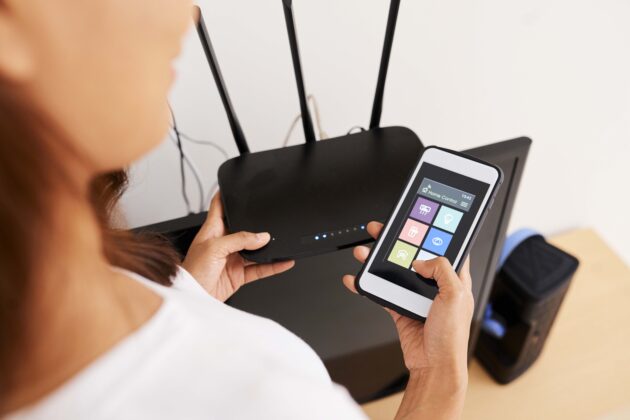
- The first and most critical piece of your setup is, of course, your modem/router. Securing your computer and internet connection provides the main shield against intrusions. Antivirus, firewall, anti-phishing, and other VPNs only help. Since the TV sits downstream from these devices, it will be that much safer. You can even configure a VPN on your Smart TV with this comprehensive guide.
- Beyond this first line of defense, the TV’s built-in protection does the work in the background: Samsung, for example, includes a homegrown security module. Make sure it’s updated and run scans regularly to maximize its effectiveness.
- We also recommend connecting your TV to the Internet via Ethernet rather than Wi‑Fi. And even if this solution may seem more cumbersome due to cables, it’s also much more secure and greatly reduces the risk of being hacked over your home Wi‑Fi.
- More broadly, regularly check that there isn’t a newer version of your TV’s operating system or apps. If available, don’t skimp on patches. The older the software, the more likely it is to be scrutinized and possibly cracked—perhaps via “zero-day” flaws that had already been patched. This doesn’t guarantee immunity, but it does make intruders’ job harder.
- In contrast to turning off voice recognition or the camera, disabling the ACR technology shouldn’t deprive you of functions. To avoid multiplying outbound data and potential backdoors, turning off Live Plus (LG), Samba Interactive TV (Sony), Viewing Data (Vizio), or Viewing Information Services (Samsung) is a smart choice. At a minimum, review your TV’s privacy policy and uncheck clauses you may have inadvertently agreed to (especially those pertaining to data collected by the Smart TV). Yes, we all skim terms and conditions, and you probably don’t want your movie-watching habits ending up in the wrong hands…
- Finally, and just like on any computer or tablet, if you use a browser on your TV or want to connect other devices, keep them updated as well. Exercise caution: don’t plug in USB drives from questionable sources, don’t download third‑party apps from untrustworthy sources, and stick to trustworthy sites for safe browsing.
- If, despite all this, malware or a hacker manages to breach your smart TV, the ultimate weapon—your device’s “limit break”—remains the classic but effective hard reset to factory settings. Doing so wipes out anything added afterward, removing intruders or the exploitation of a flaw.
All told, the odds of a targeted hack on your TV remain slim: bobbing along with the crowd, your TV isn’t usually hackers’ first pick. Still, the threat could show up elsewhere: several brands were accused in December 2025 of secretly monitoring users’ activities. It’s fair to say that few people take the time to read every term of service when setting up their TV, caring more about cybercriminals than about the manufacturers themselves…
